- JavaScript 99.2%
- PHP 0.7%
|
|
||
|---|---|---|
| .github/workflows | ||
| appinfo | ||
| css | ||
| img | ||
| js | ||
| l10n | ||
| lib | ||
| screenshots | ||
| templates | ||
| CHANGELOG.md | ||
| CODE_OF_CONDUCT.md | ||
| LICENSE | ||
| README.md | ||

Admin Cockpit
It had annoyed me for a long time that as an admin of a nextcloud instance you don't reach all available areas centrally summarized, but sometimes have to click right and left, switch from the admin area to the users or apps, etc. My idea was therefore to combine all important administrative areas in one app. This is how the NextCloud app Admincockpit was created. However, it is currently still in a preliminary version that is not intended for productive use and is constantly being further developed.
✨ About
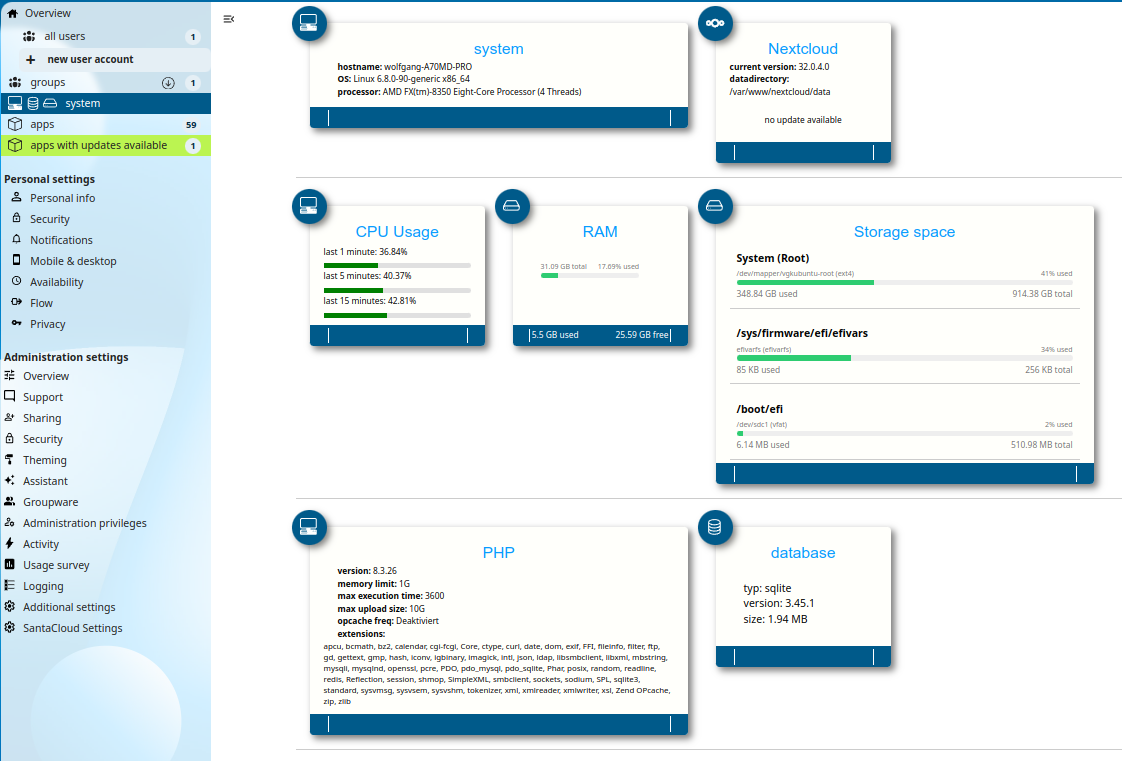
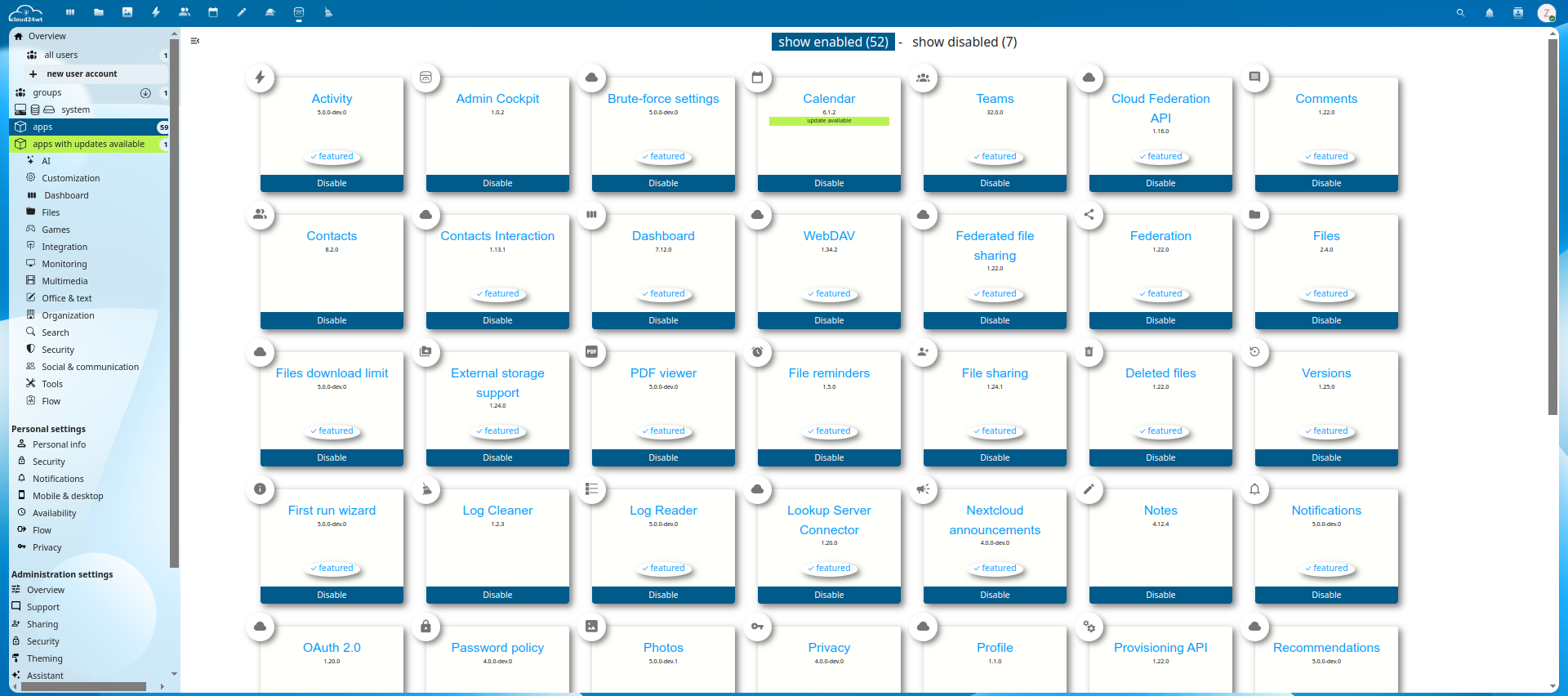
AdminCockpit is an administration tool for Nextcloud
- ✅ All important administration pages at a glance
- ✅ No more clicking back and forth in the menus
- ✅ Modern and compact look
- ✅ Intuitive operation without a page-long manual
- ✅ send notification to users and groups
⚙️ Usage
- It is recommended to download or install this app directly from the Nextcloud App store.
- Alternatively you can download the latest admincockpit release based on this repository.
💡 F.A.Q.
All of the text is in english?
Maybe your language files are missing.You might want to help translating the app to new languages or report errors in existing translations. So feel free and send me translations.
Very bad translation?
We used the AI-based Google translator to generate language files. Of course, there were limitations to the translation depending on the quality of the AI. If you'd like to help improve your language file, open an issue and report your suggestion for improvement. Thank you🤝 How you can support this project
- 🌟 Star this repository: This is the easiest way to support AdminCockpit and it costs nothing.
- ⭐ Rate and/or 💬 comment on AdminCockpit in the Nextcloud AppStore
- 🪲 Report bugs: Report any bugs you find on the issue tracker.
- 📖 Translate: Help translate AdminCockpit into your language, if the AI-based Google translator generated language files are poorly translated
- 📝 Contribute: Read and file or comment on an issue and ask for guidance or give advice.
🌍 How to Contribute Translations (Step-by-Step Guide)
We love contributions! If you notice a missing or incorrect translation, you can easily fix it directly on GitHub without installing any specialized software.
Follow these simple steps to make your changes and send us a Pull Request (PR):
Step 1: Fork the Repository
A Fork creates your own copy of this project under your GitHub account, allowing you to make changes safely.
- Scroll to the very top right of this GitHub page.
- Click the Fork button (located near the Star button).
- Click Create fork. You will now be redirected to your own copy of the repository.
Step 2: Locate and Edit the Translation File
- In your forked repository, navigate to the folder containing the language files (e.g.,
l10n/). - Click on the file for your language (for example,
de.jsonoradmincockpit_de.po). - Click the Pencil icon (✏️) in the top-right corner of the file view to open the editor.
- Edit or add the missing translations carefully:
- JSON files: Keep the quotes
""and commas,intact. - PO files: Add your translation inside the
msgstr ""quotes right below the matchingmsgid "".
- JSON files: Keep the quotes
Step 3: Commit Your Changes
Once you have made your edits:
- Click the green Commit changes... button at the top right of the editor.
- Enter a short description of what you changed (e.g.,
Fix German translation for plain text hint). - Make sure Commit directly to the
mainbranch (ormaster) is selected. - Click Commit changes.
Step 4: Submit Your Pull Request (PR)
Now send your changes back to us so we can review and include them in the official release!
- Go back to the main page of your forked repository.
- You should see a banner at the top showing your branch is ahead. Click Contribute, then click Open pull request. (If you don't see the banner, click the Pull requests tab, then the green New pull request button).
- Double-check your changes on the comparison screen.
- Click Create pull request.
- Add a brief title and description, then click Create pull request once more to finalize.
🎉 That's it! Thank you for helping improve the project. We will review your contribution as soon as possible and merge it into the main repository.